Posts

Showing posts with the label Android

How to install on Chrome Book?
Image
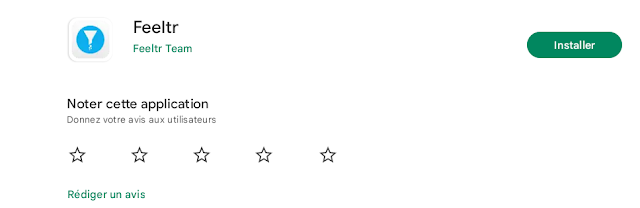
 Go to Playstore App and search " Feeltr " on search bar  Install the App on the Store        3.   Open Feeltr and enter your license     4. Click OK to allow the app to configure itself as a default VPN The protection logo will appear at the bottom right of your Chromebook There you go ! You can now enjoy your browsing experience. Note : If you wish to access a site blocked by Feeltr, simply turn the button  OFF  and reload the site. You can also contact  our support team (at bottom right) to let us know. 

How to install on ANDROID ?

Image
 Go : https://feeltr.io/android.html  Go to Playstore App  or Amazon AppStore and search " Feeltr " on search bar  Install the Feeltr on the Store        3.   Open Feeltr and enter your license      4.  Allow the app to configure itself as a default VPN 5.    Switch the bouton "ON" again You will see a small key displayed on the top of your phone. There you go, enjoy your browsing experience. Note : If you wish to access a site blocked by Feeltr, simply turn the button  OFF  and reload the site. You can also contact  our support team (at bottom right) to let us know.