Posts

What does Feeltr do ? How does it work ?

Image
Feeltr is a secure DNS (Domain Name System) that blocks cyber threats such as ad abuse, adware, ransomware, malware, minerware, phishing, data theft, and biometric data theft BUT what is a secure DNS and how does it relate to cyber-security?  When we connect to the internet, our devices send requests to DNS servers to convert domain names (like google.com) into IP addresses that machines can understand. However, cybercriminals can use this system to their advantage. For example, they can create fake DNS servers that redirect users to fake websites designed to steal personal information. This is where Feeltr   comes in !  Feeltr has a list of all the malicious servers in the world, which is about 0.35% of the internet. When a user connects to the internet and sends a request to a DNS server, Feeltr checks if the requested server is on the list of malicious servers. If it is, Feeltr refuses to forward the call. This ensures that the user is protected from cyber threats, suc...

Is there any roadmap on Feeltr?

Image
Looking for our roadmap to keep up to date with what's new in the Feeltr team? 🔔 Take a look at our roadmap here  !  ðŸ”” There you can ...  🔥 Get the latest news, updates, new features, bug fixes, etc. and share it with the rest of the users.  🔥  Suggest new features to our team and help us create the best solution for you all. 🔥  Leave us comments or questions about anything that interests or concerns you.  There you go ! 

Is feeltr compatible with both 32-bit and 64-bit processors?

For the moment Feeltr only works on Windows 64bits.  Our entire team is working to create the 32-bit version as fast as possible. All our users will be informed as soon as the 32-bit version is available. In the meantime, thank you for your patience :-)

How to recover access to your Feeltr license ? (Appsumo users)

Image
You have purchased Feeltr application through our partner Appsumo but you have forgotten the access data to App?  Don't worry, just fill in this form with the email address you used. If you enter the email address you provided when you purchased, you will receive the access data in your mailbox.  If you enter the wrong email address, you will receive this email, asking you to contact support. There you go. Enjoy your browse experience ;-)

How to solve error VCRUNTIME140_1.dll not found ?

This error appears due to the lack of the Microsoft Visual Studio launch program.  Download and install Microsoft Visual Studio             For x64 devices (99% of computers) here's the direct link:  https://aka.ms/vs/17/release/vc_redist.x64.exe              If you are the remaining 1% in x32 or ARM, please go to the page to download the right package            https://docs.microsoft.com/en- us/cpp/windows/latest-supported-vc-redist?view=msvc-170  

How to install on Chrome Book?

Image
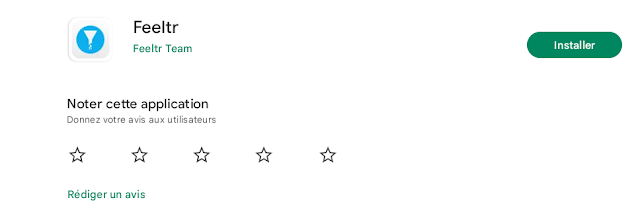
 Go to Playstore App and search " Feeltr " on search bar  Install the App on the Store        3.   Open Feeltr and enter your license     4. Click OK to allow the app to configure itself as a default VPN The protection logo will appear at the bottom right of your Chromebook There you go ! You can now enjoy your browsing experience. Note : If you wish to access a site blocked by Feeltr, simply turn the button  OFF  and reload the site. You can also contact  our support team (at bottom right) to let us know. 

How to install on ANDROID ?

Image
 Go : https://feeltr.io/android.html  Go to Playstore App  or Amazon AppStore and search " Feeltr " on search bar  Install the Feeltr on the Store        3.   Open Feeltr and enter your license      4.  Allow the app to configure itself as a default VPN 5.    Switch the bouton "ON" again You will see a small key displayed on the top of your phone. There you go, enjoy your browsing experience. Note : If you wish to access a site blocked by Feeltr, simply turn the button  OFF  and reload the site. You can also contact  our support team (at bottom right) to let us know.